 admin
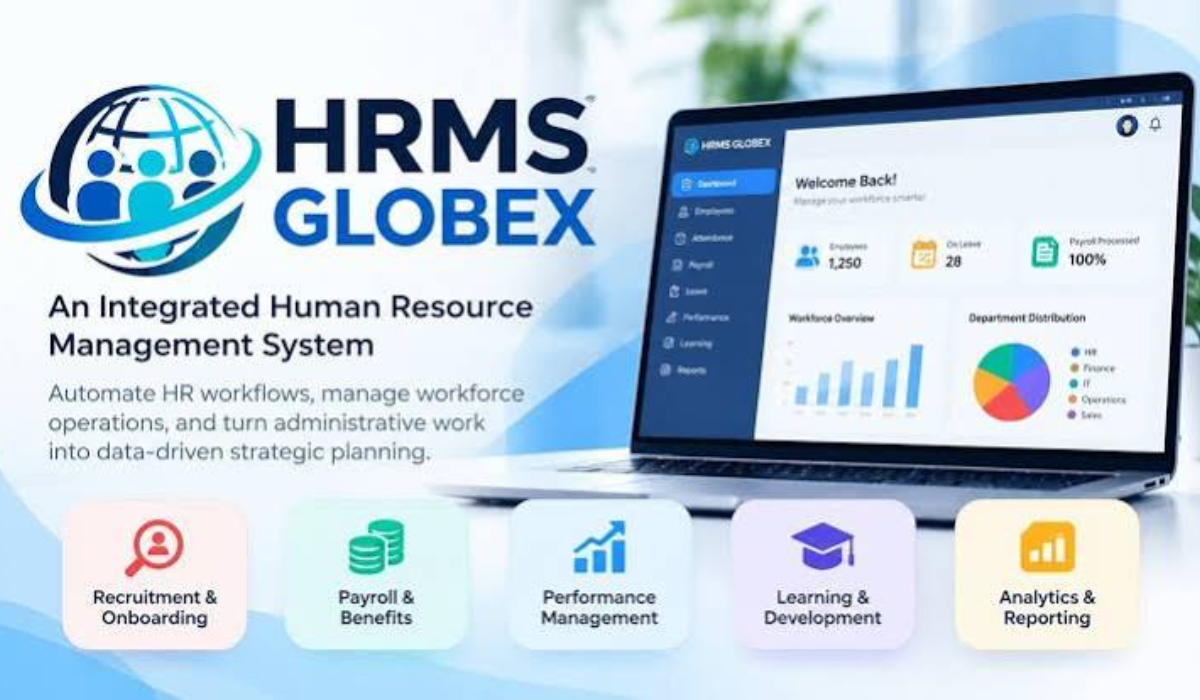
The HRMS Globex app is presented as a digital human resource management solution designed to simplify employee management, attendance tracking, payroll processing, leave requests, and other workplace responsibilities. Modern businesses increasingly rely on digital HR tools to organize employee information, reduce paperwork, and improve communication between staff members and management. A platform like HRMS Globex aims to bring these everyday tasks together in one convenient place, making HR operations easier to manage for both employees and administrators. Understanding its features, potential benefits, accessibility, and security considerations can help users make better decisions about using a digital HR platform.
Quick Bio Table
| Feature | Details |
|---|---|
| App Name | HRMS Globex App |
| Platform Category | Human Resource Management System |
| Primary Purpose | Employee and HR administration |
| Target Users | Employees, HR teams, managers, business owners |
| Core Functions | Payroll, attendance, leave, employee records |
| Digital Access | Web-based access may be available |
| Employee Self-Service | Depends on employer configuration |
| Management Tools | HR reporting and employee administration |
| Software Category | HR technology and workplace management |
| Official Website | hrmsglobex.com |
1. What Is the HRMS Globex App?
The HRMS Globex app is associated with a human resource management platform that aims to organize important workplace processes through digital tools. HRMS stands for Human Resource Management System, a software category that helps companies manage employee information, attendance, salaries, leave policies, recruitment, and performance. Instead of relying on paper documents and separate spreadsheets, businesses can use an integrated platform to handle multiple administrative activities. The platform’s publicly described features suggest an approach that centralizes essential HR functions, although the exact tools available may depend on the employer’s setup and the service configuration.
2. Why HRMS Globex Is Becoming a Search Topic
Businesses are increasingly looking for digital solutions that reduce repetitive administrative work and improve workplace organization. Employees also expect convenient access to their work-related information, such as schedules, salary records, and leave balances. HR technology has become a practical option for organizations of different sizes because it can simplify processes that once required emails, paperwork, and manual calculations. The interest in HRMS Globex reflects the broader demand for employee management systems that combine several workplace services into a single digital environment. Understanding the platform helps users recognize what modern HR software is designed to accomplish.
3. How the HRMS Globex App Works
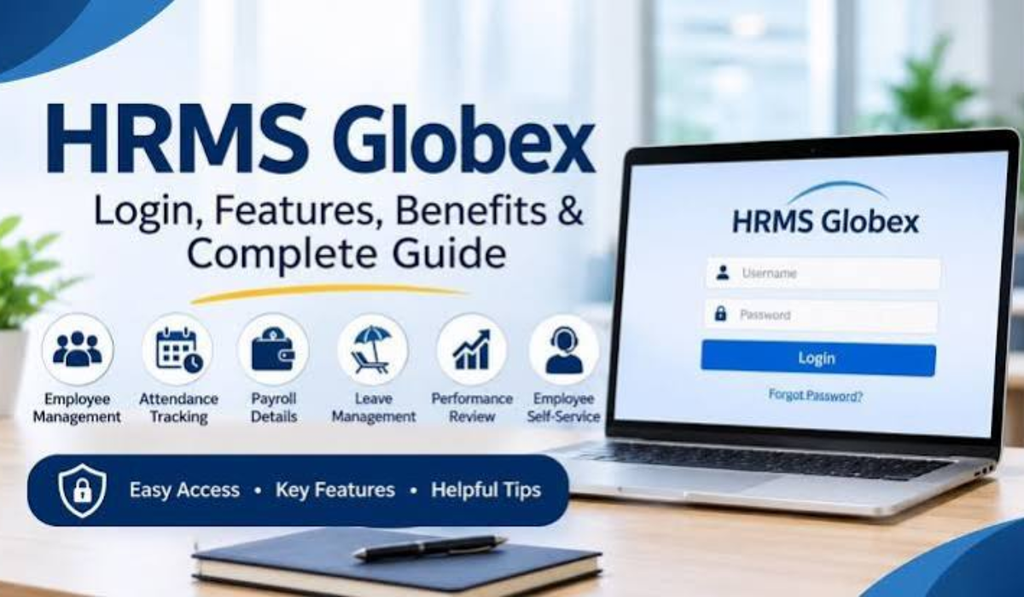
A typical HR management platform works by collecting employee information, organizing workplace rules, and providing tools for different administrative tasks. Organizations generally establish employee profiles, departments, attendance policies, payroll information, and reporting permissions. Once configured, the system allows authorized users to access the relevant information through a dashboard. Employees may be able to submit leave requests, review their attendance, or view salary information, while managers and HR administrators manage approvals and reports. The exact workflow depends on the system’s configuration, so employees should follow their organization’s instructions when accessing the platform.
4. Employee Dashboard and User Experience
An employee dashboard is an important part of any modern HR platform because it provides an overview of frequently used information. A well-designed dashboard may display attendance summaries, leave balances, notifications, personal details, and links to employee services. By organizing essential functions in one place, a dashboard can reduce the time users spend searching for documents or contacting HR. The HRMS Globex platform is described as offering centralized management, although users should confirm which dashboard features are available in their organization. An intuitive interface can make HR software easier to use, especially for employees who are unfamiliar with digital systems.
5. Employee Registration and Account Setup
Employee account setup is usually managed by an organization’s HR department or system administrator. Businesses may create individual accounts after hiring new employees and assign login credentials or invitation links. During registration, users might need to confirm their identity, set a password, and complete relevant personal information. Depending on the platform, account activation may require email verification or an administrator’s approval. Employees should avoid registering through unfamiliar websites and should only use login information provided by their employer or a verified official source. Proper account setup ensures that employees can access the functions assigned to their roles.
6. HRMS Globex Login Process
Accessing an HR platform typically requires a username, email address, employee identification number, or other assigned credential. Users should visit the login address provided by their employer and enter the information required by the system. If additional security measures are enabled, the platform may ask for a verification code or authentication step. It is important to check the web address before entering personal information because employee systems may contain sensitive records. If an employee cannot access the account, contacting the organization’s HR team or IT support is generally the safest way to resolve the problem rather than using unofficial login links.
7. Attendance Tracking and Daily Work Records
Attendance tracking helps organizations monitor employee working hours, attendance patterns, late arrivals, and absences. Digital attendance systems can reduce the need for manually maintained registers and spreadsheets. Depending on configuration, an HR platform may support attendance entries, time records, shift information, or integrations with other attendance tools. These records can help HR teams review employee schedules and prepare payroll information. Employees may also benefit from checking their attendance records regularly to identify mistakes. However, the exact attendance functions available through HRMS Globex should be confirmed with the organization using the platform.
8. Leave Management and Vacation Requests
Leave management is another important function commonly HRMS Globex app associated with human resource software. Employees may use digital systems to submit requests for vacation, personal leave, sick leave, or other approved leave categories. Managers can review applications, approve requests, or reject them according to company policies. A digital workflow can make leave requests easier to track and help teams avoid confusion about employee availability. The system may also display remaining leave balances if those records are configured. Employees should always review their company’s leave rules before submitting applications and check that their requests receive the appropriate approval.
9. Payroll Management and Salary Information
Payroll management involves calculating employee compensation, recording deductions, preparing payment information, and maintaining payroll documents. Human resource software can help companies organize payroll data and reduce repetitive calculations. Depending on the available functionality, employees might be able to access salary statements or payroll summaries through an online account. HR professionals may use payroll tools to manage salary structures, payment schedules, and employee records. Payroll systems require careful configuration because tax rules, benefits, deductions, and compensation policies differ between organizations. Users should confirm whether HRMS Globex directly manages payroll or simply provides access to related employee information.
10. Payslips and Salary Record Access
Digital payslips can make salary documentation more convenient for employees. Instead of requesting printed documents from HR every month, workers may be able to retrieve payroll statements through an employee portal. These statements can help employees review earnings, deductions, allowances, and payment details. A digital record can also be useful when preparing personal financial documents or reviewing past salary information. The availability of payslip downloads and historical payroll records depends on the employer’s configuration. Employees should treat payslips as confidential documents and avoid storing them on shared devices or sending them through unsecured communication channels.
11. Employee Profile and Personal Information
Employee profiles allow organizations to maintain records containing relevant information about their workforce. These records may include job titles, departments, joining dates, contact details, employment history, and other administrative information. Centralized employee profiles help HR teams locate information quickly and maintain consistent records across departments. Employees may also be permitted to update certain personal details through a self-service portal. Such updates should follow company policies, especially when they involve banking information, official documents, or identity details. Accurate employee records are important for payroll processing, communication, workforce planning, and maintaining an organized HR administration system.
12. Performance Management and Employee Reviews
Performance management helps businesses evaluate employee progress, establish professional goals, and identify areas that may require improvement. HR software can support performance reviews by organizing evaluation documents, feedback, goals, and assessment schedules. Managers may use digital records to review employee development and communicate expectations. Employees can benefit from having a clearer understanding of performance objectives and professional responsibilities. While performance tools are useful, effective evaluations still depend on fair management practices, meaningful feedback, and transparent expectations. The availability of performance review features in HRMS Globex should be verified with the organization’s HR administrator.
13. Recruitment and Hiring Management
Recruitment is an essential HR activity that involves attracting applicants, reviewing resumes, scheduling interviews, and selecting suitable candidates. HR management platforms may include recruitment tools that help businesses organize candidate information and hiring workflows. Such features can make it easier for recruiters to track applicants, communicate with candidates, and coordinate interview schedules. A digital recruitment process can reduce the need for scattered email conversations and separate spreadsheets. Companies can also use recruitment records to evaluate hiring progress. However, recruitment functionality may differ between HR platforms, and users should confirm which hiring tools are actually available.
14. Communication Between Employees and HR
Workplace communication is necessary for resolving questions about payroll, attendance, leave, policies, and other employee matters. HR software can improve communication by making relevant information easier to access and by providing notifications about administrative activities. Employees may receive reminders about pending requests, important deadlines, or changes to workplace procedures. Some platforms also offer communication tools or links to support channels. Better access to information can reduce unnecessary delays and help employees understand their responsibilities. A digital HR system is most effective when businesses combine it with clear communication policies and accessible support from HR personnel.
15. Document Management and Digital Records
Document management helps companies organize employment-related paperwork, including contracts, policy documents, salary statements, and administrative forms. Digital systems can make documents easier to locate, retrieve, and manage compared with traditional filing cabinets. Organizations may assign access permissions to protect confidential records and prevent unauthorized viewing. Employees may also be able to download specific documents through their account. A reliable document management process should include backup arrangements, access controls, and retention policies. Users should avoid uploading confidential documents unless they are certain that the system is authorized by their employer and that the upload process is secure.
16. Benefits for HR Administrators
HR administrators often handle multiple responsibilities simultaneously, including onboarding, payroll coordination, attendance review, employee records, and policy management. A centralized HR platform can help organize these activities and reduce the number of separate tools required. Administrators may benefit from quicker access to employee information, clearer workflows, and better recordkeeping. Automation can also reduce repetitive tasks, allowing HR professionals to spend more time on employee support and strategic planning. However, software does not automatically eliminate administrative errors. HR teams must regularly review information, maintain accurate settings, and ensure that procedures follow company policies.
17. Benefits for Employees
Employees can benefit from digital HR systems when they provide easy access to everyday workplace services. Workers may be able to review attendance records, check leave balances, submit requests, and retrieve documents without waiting for manual responses. This convenience can improve the employee experience and help individuals manage their work-related information. A self-service system may also reduce confusion about administrative procedures by presenting information in a consistent format. Employees should still contact HR whenever records appear incorrect or a request requires additional clarification. Digital access is useful, but it should not replace direct communication when important issues arise.
18. Benefits for Small and Medium-Sized Businesses
Small and medium-sized businesses often have limited HR resources and may rely on spreadsheets, emails, and manual records. A centralized management platform can help these businesses organize administrative responsibilities without creating complicated processes. HR software may support consistent recordkeeping, improve visibility into employee activities, and simplify routine tasks. Business owners can potentially use organized workforce information to plan staffing needs and understand administrative requirements. The suitability of a platform depends on its cost, available features, support, scalability, and security. Small businesses should compare their actual requirements with the platform’s verified capabilities before making a purchasing decision.
19. Data Security and Employee Privacy
Employee management systems store sensitive information, so security and privacy are essential considerations. HR records may contain personal details, employment information, salary data, and other confidential documents. Organizations should use strong passwords, limit access to authorized personnel, and enable additional security measures whenever available. Employees should avoid sharing login credentials or accessing their accounts through suspicious links. Businesses evaluating HRMS Globex should investigate its security policies, data protection practices, encryption, backup arrangements, and privacy documentation. A professional-looking website alone is not sufficient evidence that a system meets the security requirements of an organization.
20. Common Login Problems and Troubleshooting
Login problems can occur for several reasons, including incorrect passwords, inactive accounts, network interruptions, outdated browser settings, or temporary system issues. Employees should first verify that they are using the correct login address and that their credentials are entered accurately. If a password reset option is available through the official portal, users can follow the authorized recovery process. Clearing browser cache may sometimes help with temporary display or login issues. If the problem continues, contacting HR or IT support is the recommended approach. Users should never send their passwords to someone claiming to provide unofficial account assistance.
21. How to Use the Platform Responsibly
Responsible use of employee software involves protecting personal information, maintaining accurate records, and following workplace policies. Employees should access only the information they are authorized to view and avoid sharing screenshots containing sensitive details. Managers should use employee data appropriately and follow company guidelines when reviewing attendance or performance information. Organizations should train staff on the correct procedures for using HR systems. Clear policies can reduce confusion and prevent misuse of workplace information. Digital tools work best when employees and administrators understand their responsibilities and respect the privacy of everyone whose information is stored.
22. Is HRMS Globex Available on Mobile Devices?
The word app often suggests a downloadable application, but a platform may also be accessible through a mobile-friendly website. Users should verify whether HRMS Globex has a dedicated Android or iOS application before downloading anything. Checking the official website, employer-provided instructions, or verified app stores can help identify legitimate access options. Avoid downloading APK files from unfamiliar websites because unofficial files can create security risks. Mobile access can be useful for reviewing attendance, leave requests, or notifications while away from a computer, but users should confirm which mobile functions the actual service supports.
23. Is HRMS Globex Suitable for Every Organization?

Not every business needs the same HR software. Organizations with a small workforce may require basic employee records and leave tracking, while larger companies might need advanced payroll integrations, recruitment workflows, reporting, and multiple administrative permissions. A platform’s suitability depends on its verified features, pricing, usability, technical support, and ability to meet local employment requirements. Businesses should compare available solutions before selecting a system. HRMS Globex may be worth exploring for organizations interested in centralized HR management, but companies should request a demonstration and verify its capabilities before relying on it for critical employee processes.
24. How to Evaluate HRMS Globex Before Using It
Evaluating HR software carefully can help organizations avoid unexpected costs and operational problems. Businesses should begin by identifying their main requirements, such as payroll, attendance, employee self-service, recruitment, and reporting. They should then confirm which features are included and whether additional fees apply. Security documentation, customer support, data export options, and integration capabilities should also be reviewed. A practical demonstration can reveal whether the interface is easy to use and whether the platform fits existing workflows. Evaluating these factors helps decision-makers choose software based on real requirements rather than marketing claims.
25. HRMS Globex and the Future of Digital HR
Digital HR technology continues to evolve as businesses adopt automation, cloud services, analytics, and employee self-service tools. Modern HR platforms are increasingly designed to reduce repetitive work while helping organizations make informed workforce decisions. Future systems may provide more advanced reporting, personalized employee services, and integrations with other business applications. However, successful digital transformation requires more than technology. Organizations must maintain accurate information, protect employee privacy, train users, and establish clear policies. A platform like HRMS Globex represents the broader movement toward organized digital HR operations, where administrative information and workplace processes can be managed more efficiently.
Frequently Asked Questions (FAQs)
1. What is the HRMS Globex app? – It is associated with a human resource management platform designed to organize employee records, attendance, payroll-related information, leave management, and other HR processes.
2. How can I log in to HRMS Globex? – Use the login address and credentials provided by your employer or HR administrator, and follow any verification steps required.
3. Can employees check their payslips through HRMS Globex? – Payslip access may be available if the employer has configured payroll and employee self-service features within the platform.
4. Is HRMS Globex available as a mobile app? – Mobile access may be available through a website or dedicated application, but users should verify the official mobile access options before downloading.
5. Is HRMS Globex safe to use? – Safety depends on the platform’s security practices, account protections, data handling, and the organization’s configuration. Users should verify the service before entering sensitive information.
Conclusion
The HRMS Globex app represents an approach to managing employee information and workplace responsibilities through a centralized digital system. Its publicly described purpose includes simplifying HR operations, organizing employee records, supporting payroll and attendance processes, and making workplace information more accessible. For employees, digital HR tools can make routine requests and record access more convenient, while administrators may benefit from organized workflows and reduced paperwork. Nevertheless, users should verify the official platform, supported features, security policies, and mobile access options before relying on it. To learn more about human resource management systems and their general functions, visit Wikipedia’s Human Resource Management System page.